
1.8 KiB
Intro
afr0dita is a web server where you can download and organize your images by tag. You only need to put an URL with the image that you want to download, add tags and then afr0dita will download and save the image associated with the tag, after that you can search images by tag.
Check changelog.txt to see the current status.
How it looks.
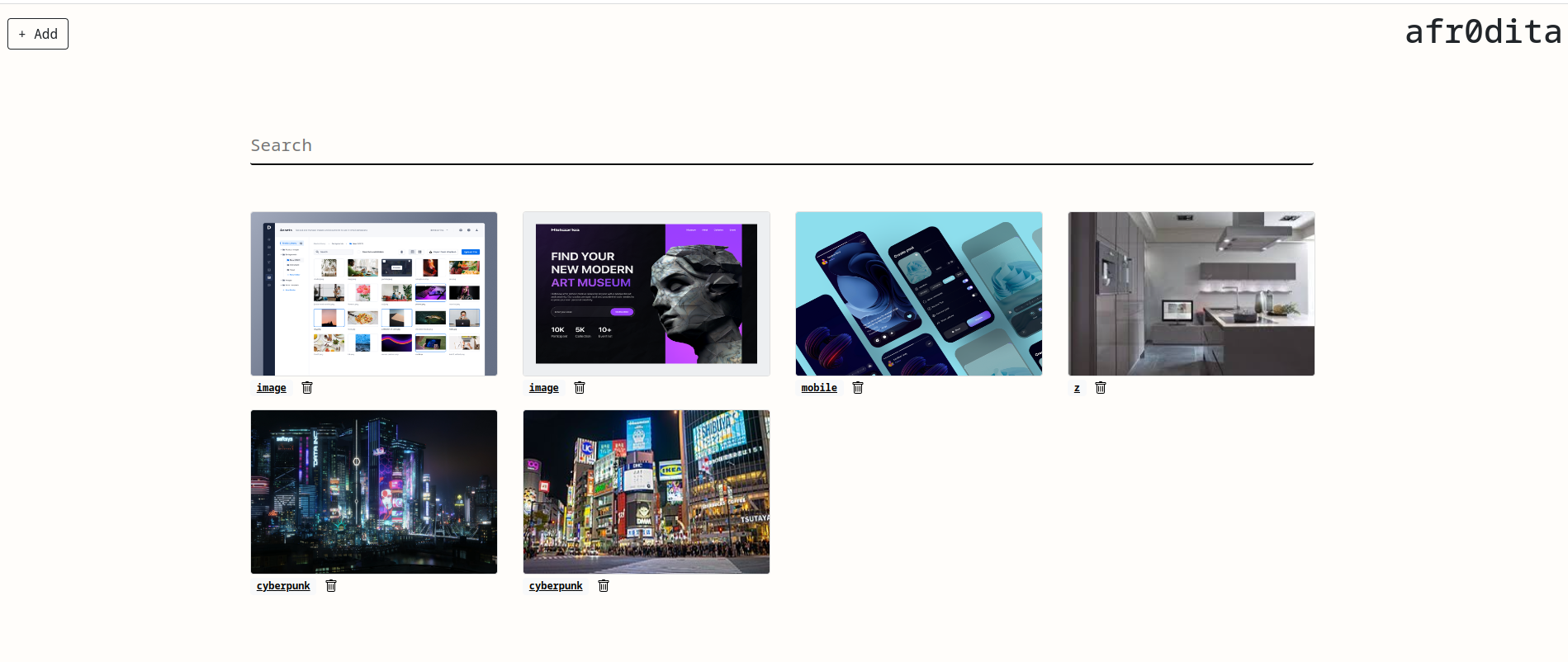
To know..
Feel free to change the code in order to adapt the program to your needs.
During the first run the program:
- Creates ~/afr0dita.db file which is the database.
- Creates ~/.afr0ditafiles which is the folder to store the images.
- Creates a link from ~/.afr0ditafiles to screenshots/ in the same folder where is the executable.
- The server uses the port 8001.
Check that you have permissions to run the program in the port 8001 and also write permissions in screenshots folder in order to download the screenshots if needed.
Installation
git clone https://code.lacashita.com/sml/afr0dita
go build afr0dita.go
./afr0dita
Once started, you can access at http://127.0.0.1:8001
Upgrade
Just clone the repo with the last version, compile and replace with the latest binary.
Install as a service.
Create a user to manage the service.
/usr/sbin/adduser --system --shell /bin/bash --gecos 'afr0dita Server' --group --disabled-password --home /home/afrodita afrodita
Create file /etc/systemd/system/afr0dita.service
[Unit]
Description=afr0dita Server
After=syslog.target
After=network.target

[Service]
RestartSec=2s
Type=simple
User=afrodita
Group=afrodita
ExecStart=/home/afrodita/afr0dita
Restart=always
Environment=USER=afrodita HOME=/home/afrodita

[Install]
WantedBy=multi-user.target
Finally, enable and start the service.
sudo systemctl enable afrd0dita
sudo systemctl start afr0dita